Fleet, agency, and driver tracking

Fleet ticket tracking connected to attorney case work

Fleet ticket tracking gives fleet teams a role-appropriate view of driver tickets, case routing, status, and supporting records.
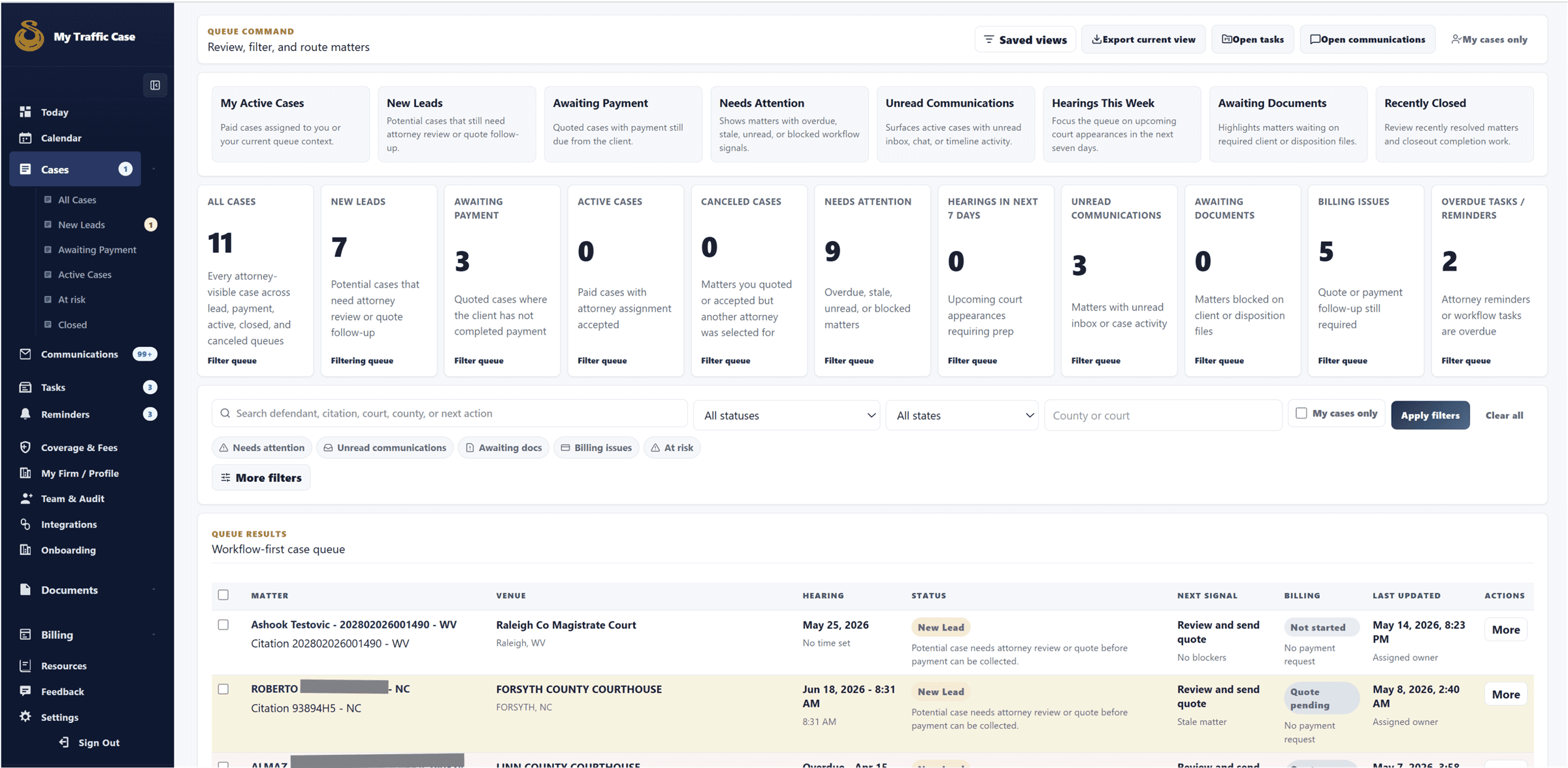
Fleet, agency, and driver visibility is role-scoped; public copy should not imply unrestricted access to attorney-private communication.
Sanitized attorney case queue showing saved views, filters, status columns, and matter rows.

Audience

Who it is for

Fleets, agencies, attorneys, and operations teams coordinating traffic-ticket matters for drivers.

Problem

What it fixes

Fleet ticket work gets fragmented when driver tickets, attorney updates, documents, and next steps are tracked in spreadsheets and email threads.

How it works

Workflow steps

  1. Driver and fleet accounts are scoped by case and fleet membership rules.
  2. Fleet teams can create or access a fleet workspace.
  3. Driver tickets can be routed into case workflows with fleet oversight where authorized.
  4. Status and records remain connected to the case instead of a separate tracker.
Workflow

Monitor driver ticket work

Fleet oversight works best when status is grounded in the active case workflow.

  • Open driver tickets
  • Review case status
  • Check documents
  • Track next step
Workflow

Coordinate across roles

Attorneys, drivers, fleets, and agencies keep role-appropriate views of the same operating record.

  • Respect permissions
  • Route updates
  • Keep ownership visible
  • Avoid duplicate trackers

Capabilities

What this workflow covers

  • Role-appropriate fleet and agency ticket tracking.
  • Driver ticket visibility tied to case and fleet membership rules.
  • Fleet workspace access where authorized.
  • Case status and supporting records connected to the ticket workflow.
  • Agency oversight positioning for cross-fleet visibility and routing.

Traffic-ticket value

Why it matters for citation work

Fleets can monitor driver ticket work without forcing attorneys or drivers to maintain a second status-reporting workflow.

Related links

FAQ

Can fleets see every attorney conversation?

No. The marketing and route rules should describe role-appropriate visibility, not unrestricted attorney communication access.

Can agencies oversee multiple fleets?

Yes. The public agency page positions the workflow around cross-fleet visibility and routing.