Integrations

Integrations

Connect mailbox, calendar, and billing provider context so attorney communication, docketing, and payment operations stay closer to the case workflow.
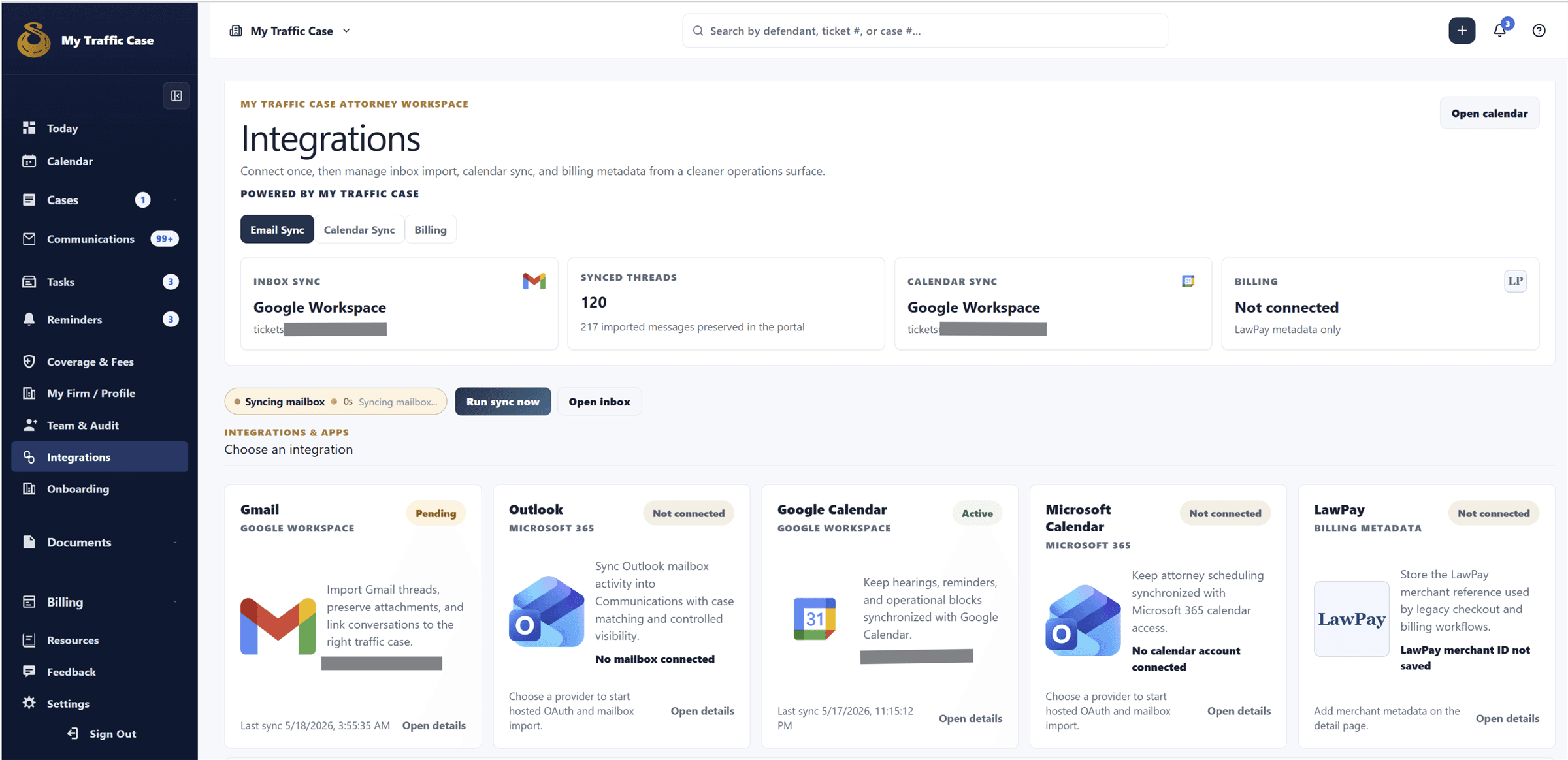
Built for attorney workspaces that connect mailbox, calendar, and billing providers.
Sanitized integrations dashboard showing email, calendar, and billing integration status cards.

Audience

Who it is for

Traffic-ticket attorneys, firm staff, and operations teams managing citation-centered case work.

Problem

What it fixes

Traffic-ticket work gets harder when the ticket, status, payment, documents, communication, and next action live in separate systems.

How it works

Workflow steps

  1. Choose provider
  2. Set visibility
  3. Select folders
  4. Start sync
  5. Review status
Workflow

Connect mailbox and folders

Mailbox setup defines account type, visibility, lookback, folders, and import scope.

  • Choose provider
  • Set visibility
  • Select folders
  • Start sync
Workflow

Monitor sync health

Status cards make account, last sync, connection, and recovery actions visible.

  • Review status
  • Refresh folders
  • Run sync
  • Reconnect or disconnect

Capabilities

What this workflow covers

  • Integration catalog for Gmail / Google Workspace, Outlook / Microsoft 365, Google Calendar, Microsoft Calendar, and LawPay.
  • Integration status cards with account, last sync, and connection state.
  • Email sync setup for personal vs team account choice and private vs team-shared visibility.
  • Lookback window, inbox/sent import toggles, all folders vs selected folders, folder selector, and folder recovery.
  • Save settings and start sync.
  • Email sync operations to connect/reconnect, complete setup, refresh folders, run sync now, and disconnect mailbox.
  • Calendar sync operations to connect/reconnect calendar, run calendar sync, and disconnect calendar.
  • LawPay merchant ID/settings support.

Traffic-ticket value

Why it matters for citation work

The value is keeping traffic-ticket work organized around the citation and the next case step instead of a generic matter record.

Related links

FAQ

Is integrations available to every user?

Built for attorney workspaces that connect mailbox, calendar, and billing providers.

How does integrations help traffic-ticket work?

Connect mailbox, calendar, and billing provider context so attorney communication, docketing, and payment operations stay closer to the case workflow.