Tasks & Reminders

Tasks, reminders, and court-date follow-up controls

Convert next steps into case-linked work items and reminders so deadlines, payment follow-up, missing documents, and internal actions do not disappear into notes.
Built for attorney workspaces that need case-linked tasks, reminder rules, and follow-up visibility.
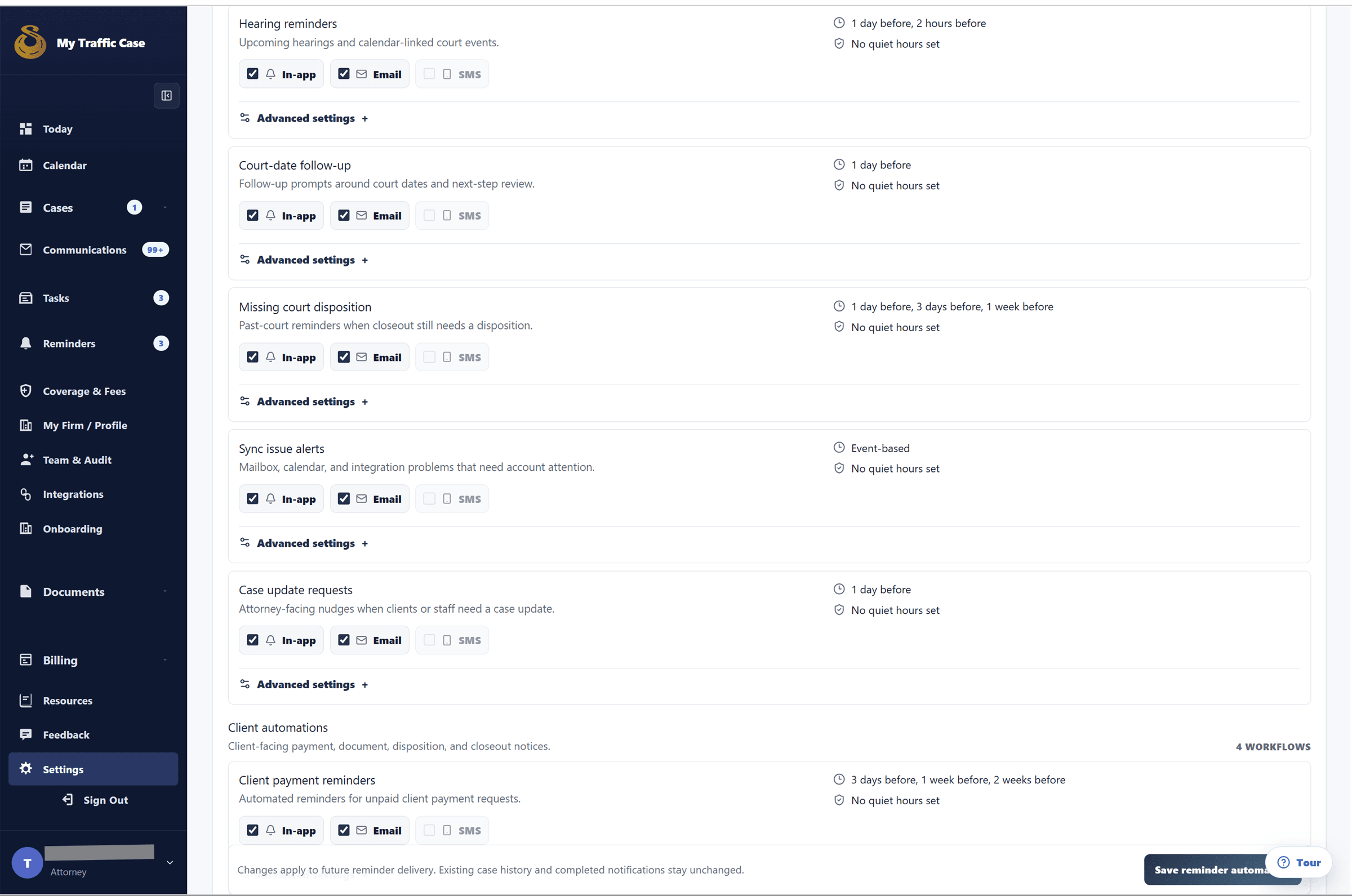
Sanitized attorney reminder automation settings showing channels, timing, and workflow controls.

Audience

Who it is for

Traffic-ticket attorneys, firm staff, and operations teams managing citation-centered case work.

Problem

What it fixes

Traffic-ticket work gets harder when the ticket, status, payment, documents, communication, and next action live in separate systems.

How it works

Workflow steps

  1. Choose case
  2. Set priority
  3. Pick due date
  4. Track completion
  5. Choose workflow
Workflow

Create the next step

Tasks and reminders make follow-up explicit from the case workflow.

  • Choose case
  • Set priority
  • Pick due date
  • Track completion
Workflow

Automate reminder rules

Workflow settings let firms tune reminder channels and timing.

  • Choose workflow
  • Set channels
  • Set offsets
  • Respect quiet hours

Capabilities

What this workflow covers

  • Attorney task page for case-linked tasks.
  • Task creation with title, priority, due date, and case.
  • Open and completed task views.
  • Complete or delete/cancel tasks and link back to cases or work items.
  • Attorney reminders page for case-linked reminders.
  • Upcoming, overdue, and completed reminder views.
  • Complete or delete/cancel reminders.
  • Notification inbox with per-notification and mark-all-read actions.
  • Reminder automation settings for per-workflow preferences.
  • In-app and email channel configuration.
  • Reminder offsets, timezone, quiet hours, and delivery status handling.

Traffic-ticket value

Why it matters for citation work

The value is keeping traffic-ticket work organized around the citation and the next case step instead of a generic matter record.

Related links

FAQ

Is reminders available to every user?

Built for attorney workspaces that need case-linked tasks, reminder rules, and follow-up visibility.

How does reminders help traffic-ticket work?

Convert next steps into case-linked work items and reminders so deadlines, payment follow-up, missing documents, and internal actions do not disappear into notes.